The most advanced visual asset management technology available.
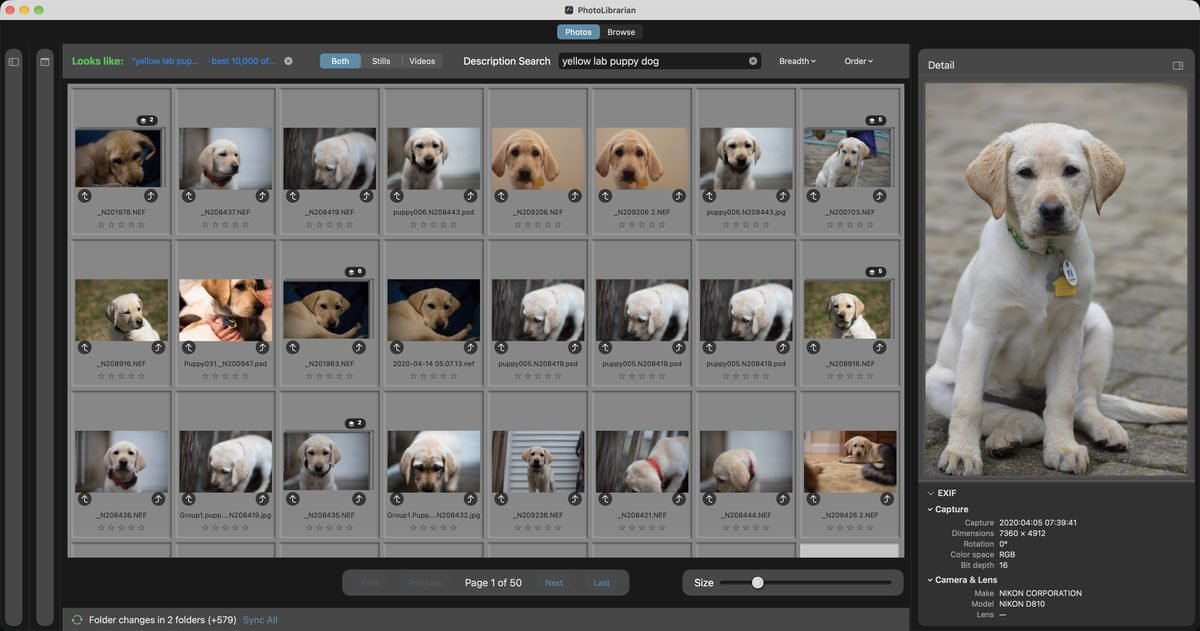
It catalogs every photo and video on the drives you choose, Apple Photos libraries and Lightroom catalogs included. Then type what you're looking for, like “a black dog” or “snow on trees,” and it finds those photos, best match first. Or narrow it down with more than 30 fields, from star rating, keyword, and date to lens, aperture, and focus quality, and save the search. Tested past a million photographs.
The most complete self-contained film negative converter that runs natively on the Mac.
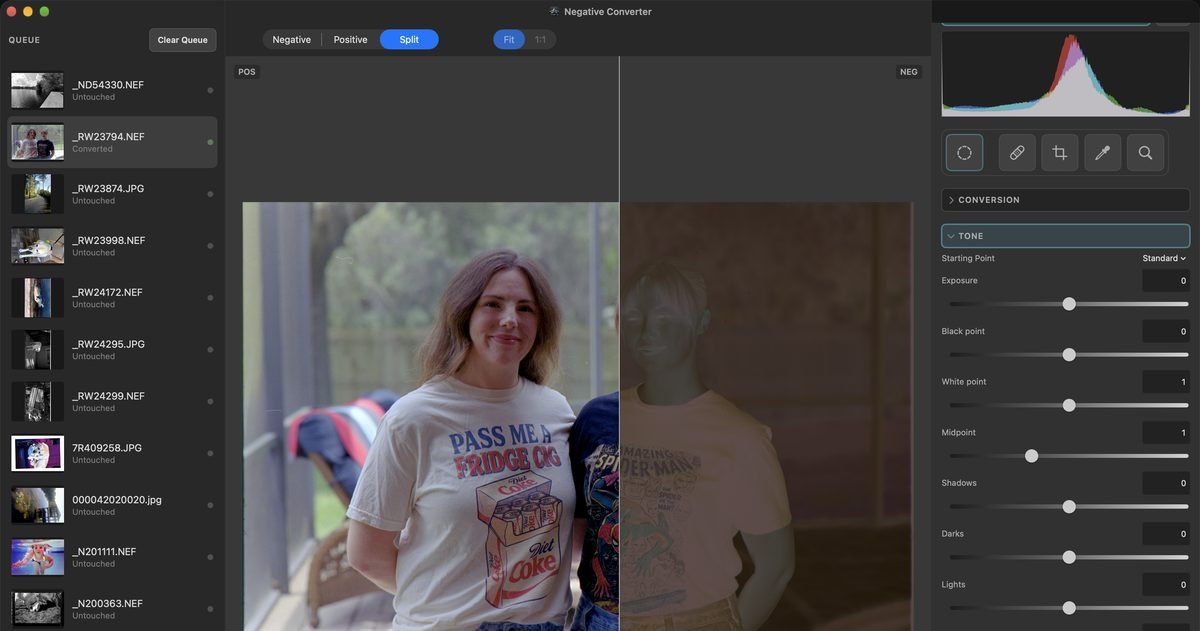
It converts black-and-white and color negatives from camera or film-scanner scans, measures a roll's film base once, adjusts parts of a picture with masks, heals dust with the film's own grain, removes color noise, and saves 16-bit TIFF and DNG masters. Its advanced color correction removes the orange mask channel by channel, balances color from the scan's own grays, and anchors skin tones toward natural values. No Lightroom, no plugin.
See Negative Converter →
Everything happens on your Mac. Neither app has network access, macOS itself blocks them from connecting to the internet. Every machine-learning model runs on your Mac. Nothing is uploaded, nothing is shared, no account, no analytics.
No network access. No account, no analytics
Every model on your Mac. Nothing uploaded
Originals never moved or changed
One-time purchase. No subscription
PhotoLibrarian · Coming to the Mac App Store
What good is a photograph if you can never find it?
Whether you have a thousand photographs or more than a million, they only matter if you can find the one you're looking for.
Scan Everything finds every Apple Photos library and Lightroom catalog on the drives you choose, imports the ones you check, then catalogs every other photo and video on those drives, all in place. Find a person by their face, then name them to search by name. Let Intelligent Culling score focus, face quality, and open eyes. Fold bursts into similar-photo stacks. Spot the film negatives in your library and hand any one to Negative Converter. Tested past a million photographs, and all of it on your Mac.
01
Bring in everything, from anywhere
Catalog drives and NAS folders right where they live, and copy memory cards to a permanent home on the way in. One real Apple Photos import: 45,076 records, 45,075 of them iCloud-only, nothing downloaded. Lightroom ratings, flags, color labels, keywords, and collections come across; the first real test brought in 150,075 photos and 104,178 keyword assignments, matching an independent count exactly. If an original lives only in your iCloud or Dropbox, PhotoLibrarian asks first, and macOS downloads it from your own account.
02
Then it organizes itself
Right-click a face to find that person across your photos; name them once, and the name works in any search. Keywords the software writes for you, scenes and subjects you never typed, stay apart from yours, so a search can include or exclude them. Focus, face quality, and open eyes are all searchable. Bursts fold into stacks, and duplicate copies across drives fold to one. The analysis never sets a rating, flag, or label, it suggests, you decide.
03
Make the copy you actually want
Consolidate everything into one destination, in year/month/day folders if you like, de-duplicated, or with every duplicate kept. Your call. Full resolution or resized on the way out, to a drive, a NAS, or a single zip stress-tested at a terabyte. In our timing runs, large copies finished faster than rsync, the standard tool for moving big folders. A copy never overwrites a file. Then back up your entire catalog with one click, and restore it whole, or merge it back in.
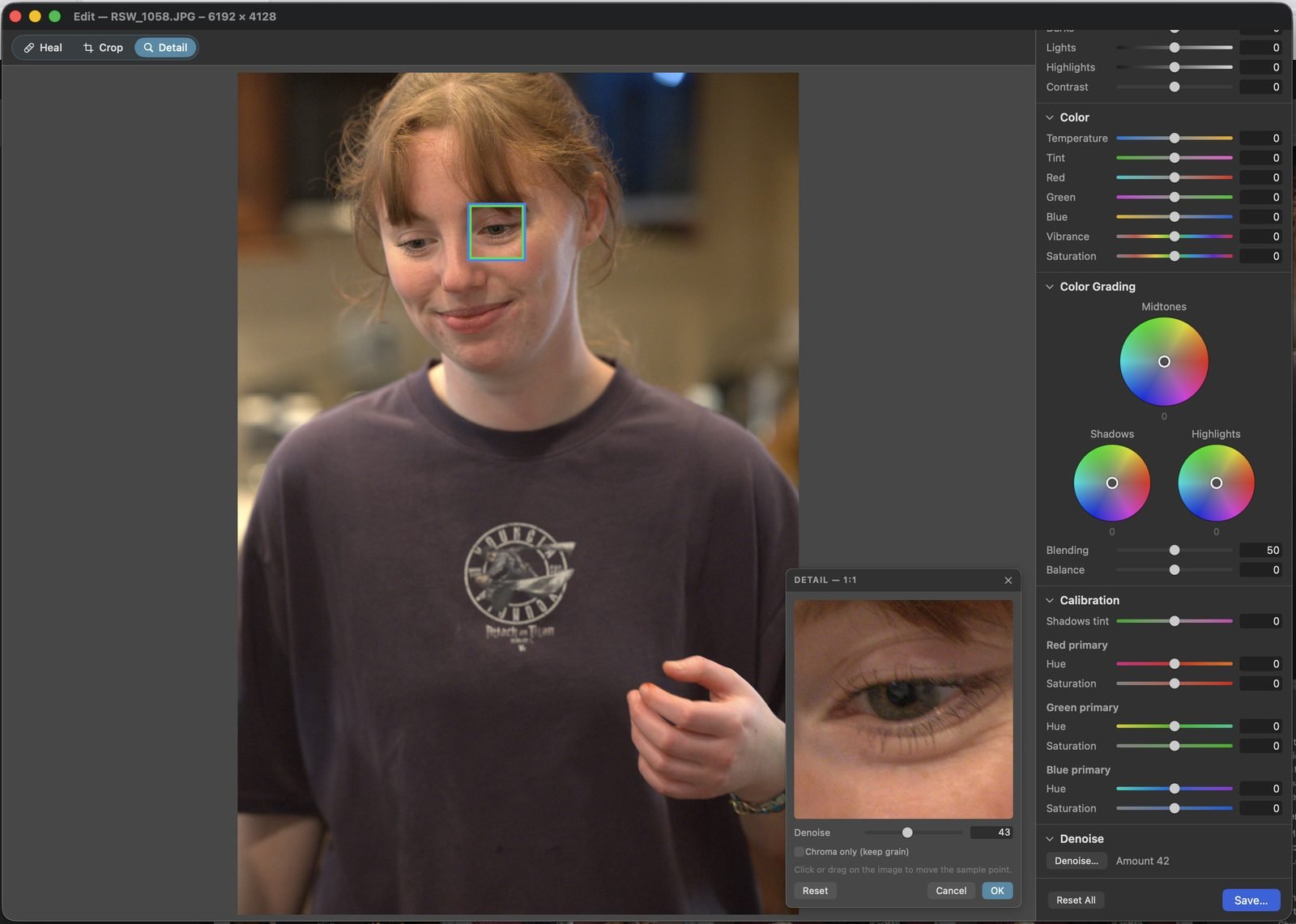
When a photo needs a touch-up, the editor is already there: tone, tone curve, color, black and white, grading wheels, masks, healing, and AI denoise judged at 1:1 (macOS 15). Not a replacement for a dedicated editor, in a pinch, genuinely powerful, and included.
A complete darkroom for your film. No Lightroom required.
Many film-conversion tools are plugins that need an Adobe subscription just to open. Negative Converter is a standalone darkroom, built for Apple silicon. Its engine works in optical density, the way film records light, and is tuned against hand-corrected reference conversions.
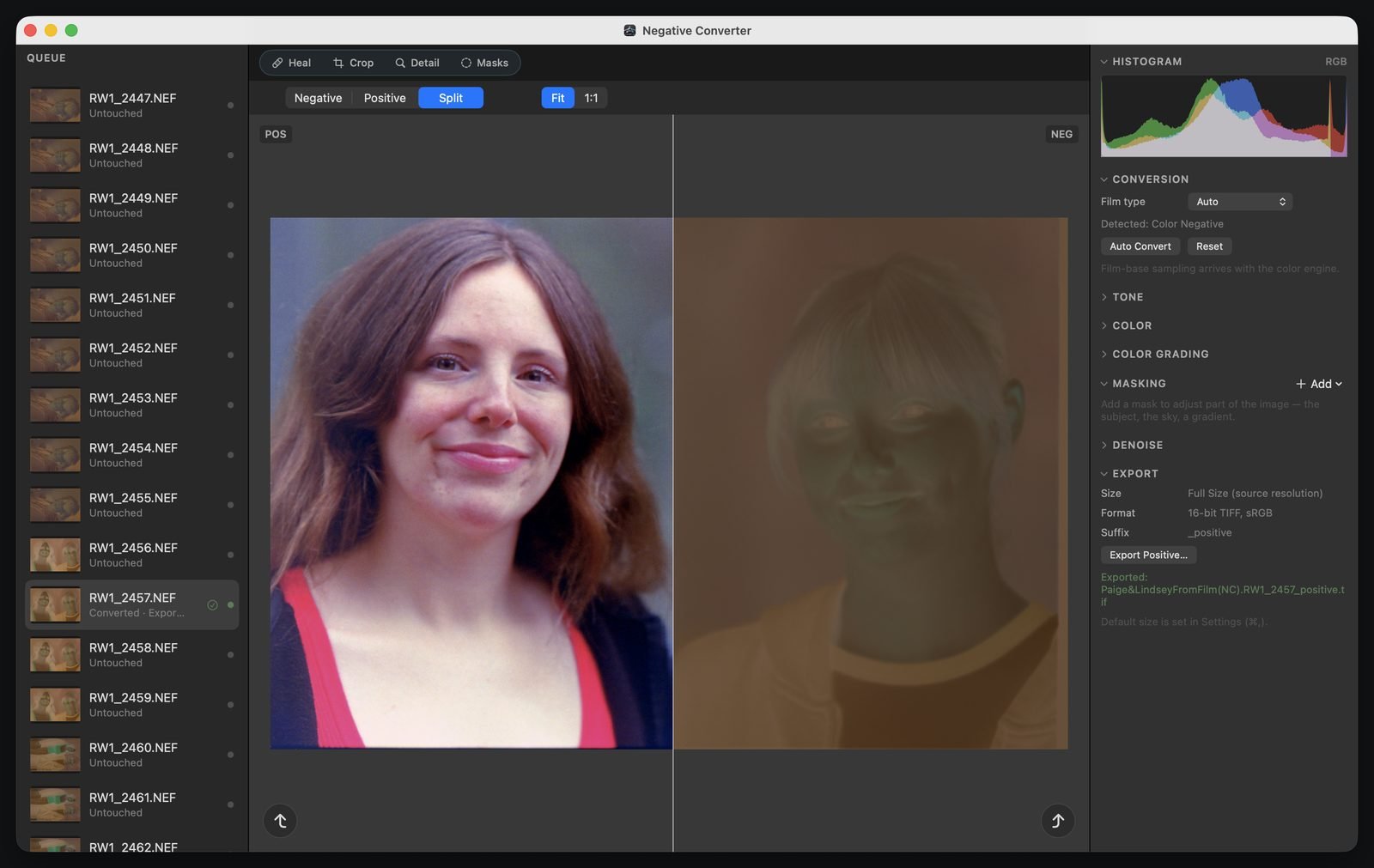
Select a frame and it converts, with black-and-white or color film detected frame by frame. Measure a roll's clear film base once and apply it to the whole roll. Refine with tone, tone curve, color, and grading wheels, and use masks to adjust just the subject, the sky, a person, or an area you draw. Heal decades of dust with the film's own grain, or with a model on your Mac. Remove color noise and keep the grain. Export 16-bit TIFF and DNG masters.
It has no network access, macOS itself blocks it from connecting to the internet, and every machine-learning model runs on your Mac. A scan stored only in iCloud or Dropbox is never downloaded; it is marked Online only, download it in the Finder, then add it again. One purchase. No Lightroom, no plugin, no subscription.
The split view: a finished photograph beside the negative it came from, converted automatically, refined in the same app.
Somewhere along the way, photography became an expense, a monthly bill for the privilege of seeing your own pictures. We think it should be a joy. Buy the software once. Keep it. Keep your photographs in your own folders, on your own drives, with all the work done on your own Mac. Your photographs should outlast the software around them.
We believe your data should stay your data, on your own machines, yours to work with any way you want, in any software you want.
 ArchiveOptics