Pick the clear base
Drag a rectangle over the clear rebate or leader. Your pick refines the automatic estimate rather than replacing it, and a pick that can't work is refused, with the reason.
Negative Converter · Film conversion & restoration for Mac OS
Negative Converter turns scanned black-and-white and color negatives into finished photographs. Not with a simple color flip: its engine works in optical density, the way film records light, and is tuned against hand-corrected reference conversions. It is honest enough to keep the warmth of the light that was really there. A complete darkroom of its own, no Lightroom, no plugin, no subscription.
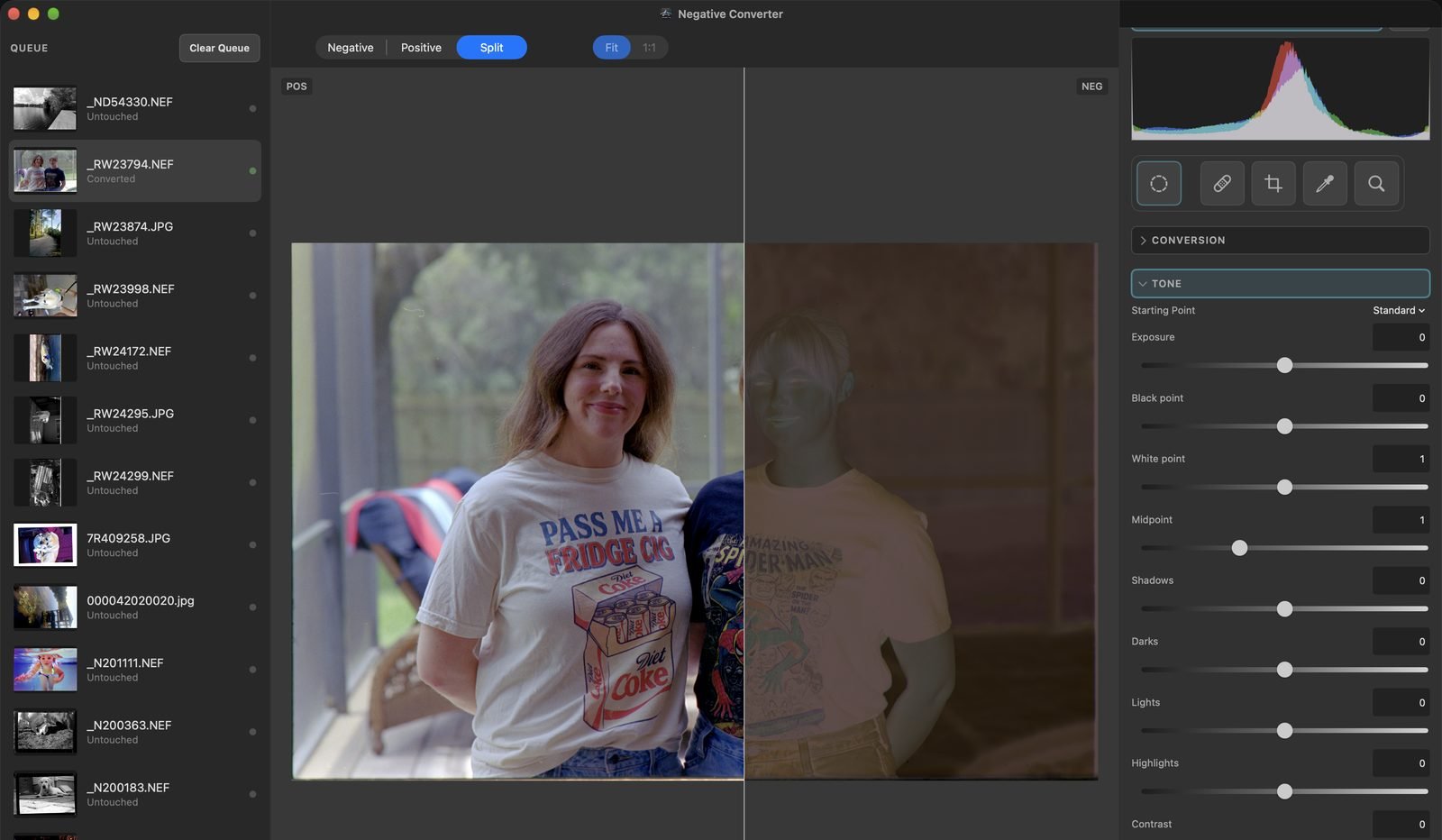
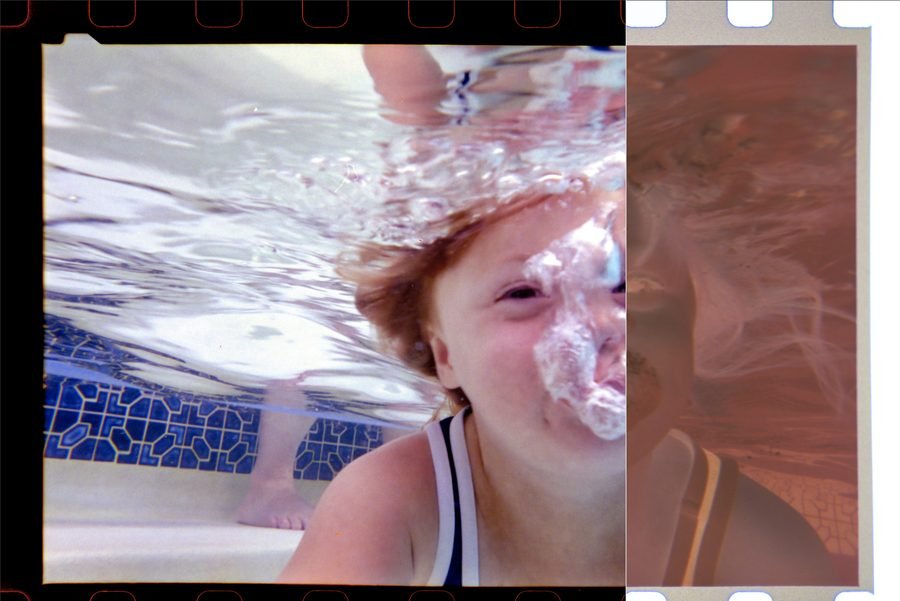
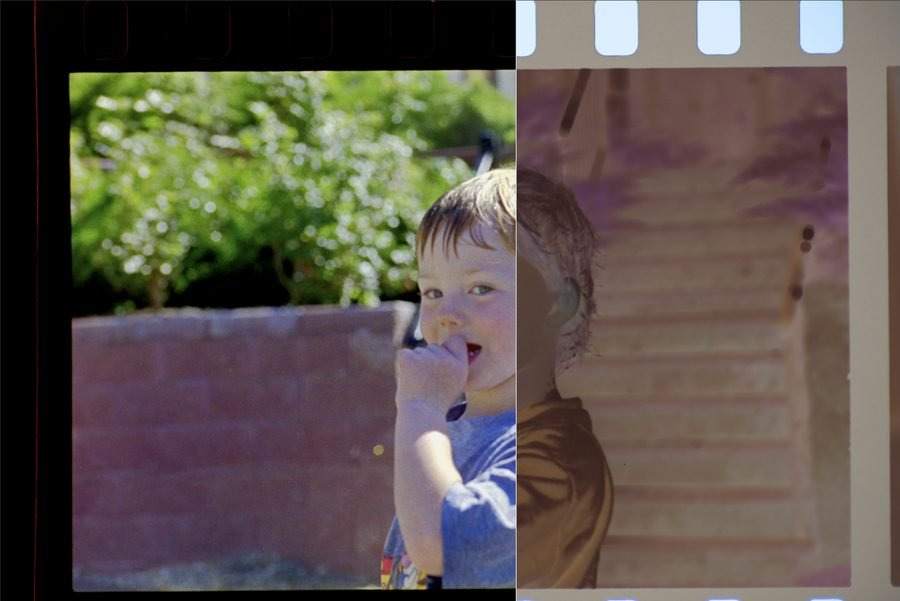
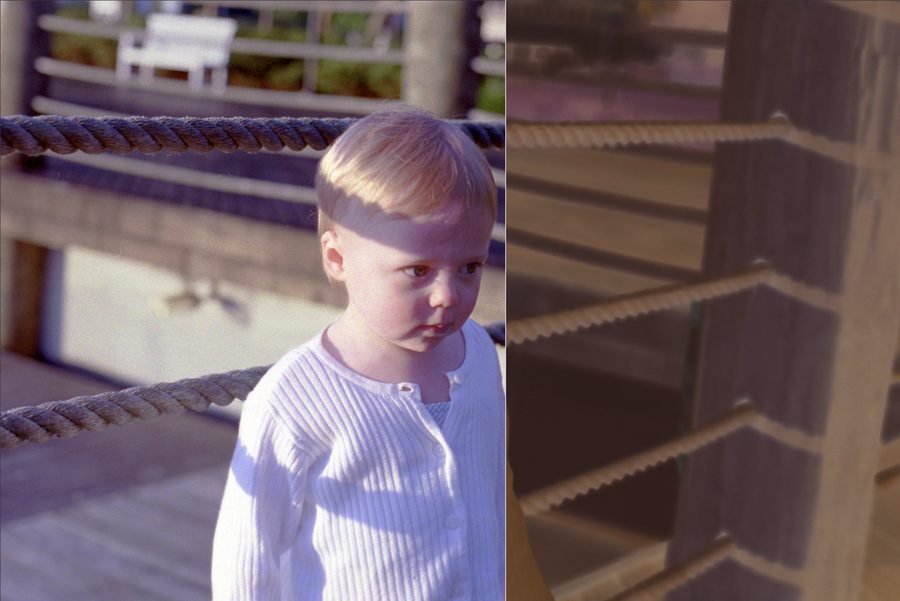
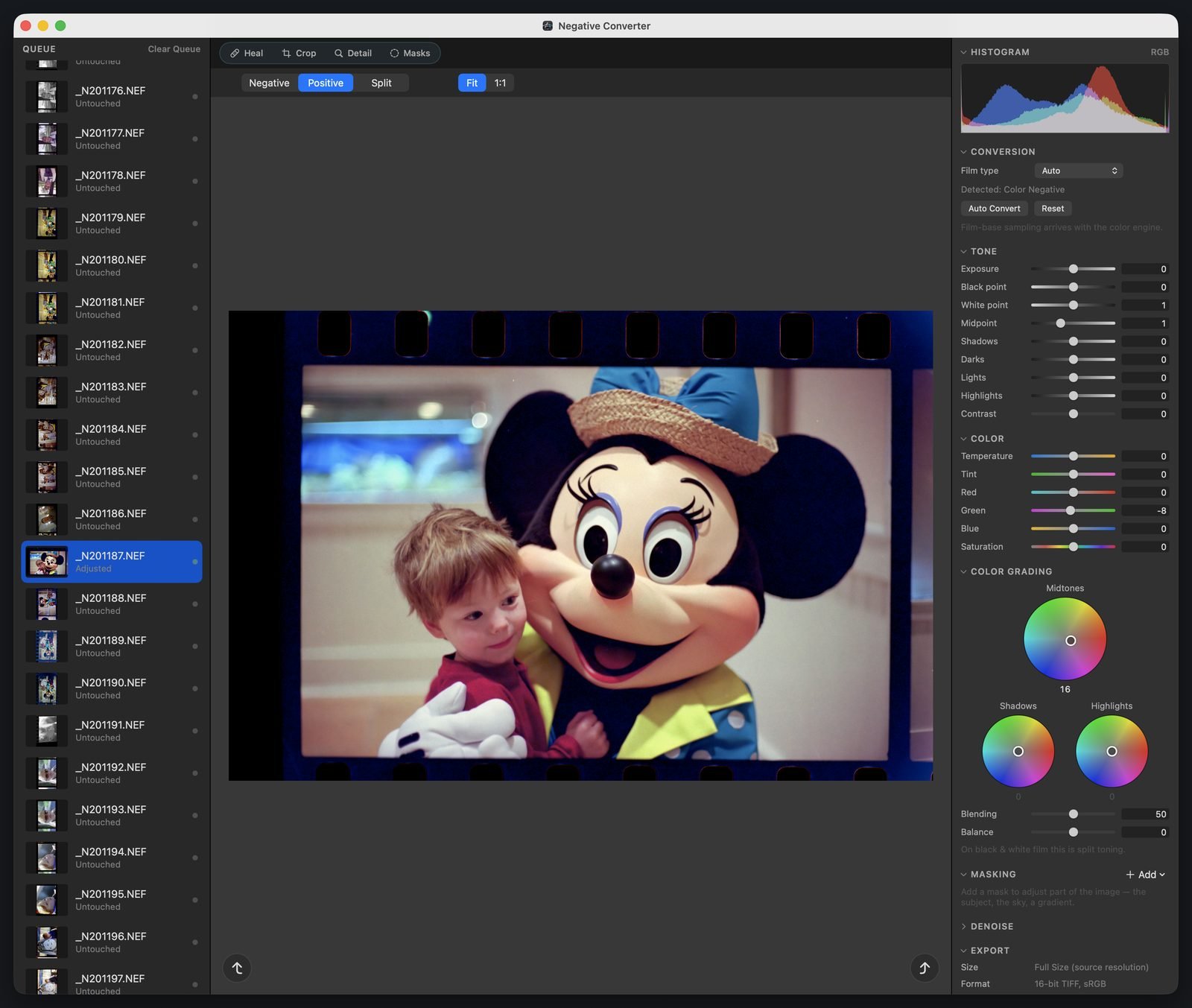
Each picture is Negative Converter's split view: on the left, the converted photograph; on the right, the color negative it came from.
The conversion
Color negative film hides its picture behind an orange mask, crossed dye layers, and a density curve made for printing paper, not for a screen. Negative Converter measures each scan's own densities, removes the orange mask channel by channel, and maps density to a positive through a print-style response curve. It is tuned against hand-corrected reference conversions, not a generic inversion.
Color balance comes from the scan itself. The engine neutralizes from the image's own gray evidence, and face detection on your Mac anchors skin tones toward natural values. It deliberately does not scrub every frame to gray, a warm room stays warm, and evening light stays evening light.
Film type is detected frame by frame, so a folder that mixes black-and-white and color scans converts as it should. When the evidence is too thin to decide, it says Uncertain and waits for you to choose, rather than guess. Pick one of three conversion responses, Neutral, Warm Lab, or Clean Lab, and use Pre-Saturation to adjust color separation in the negative itself, which helps faded film.
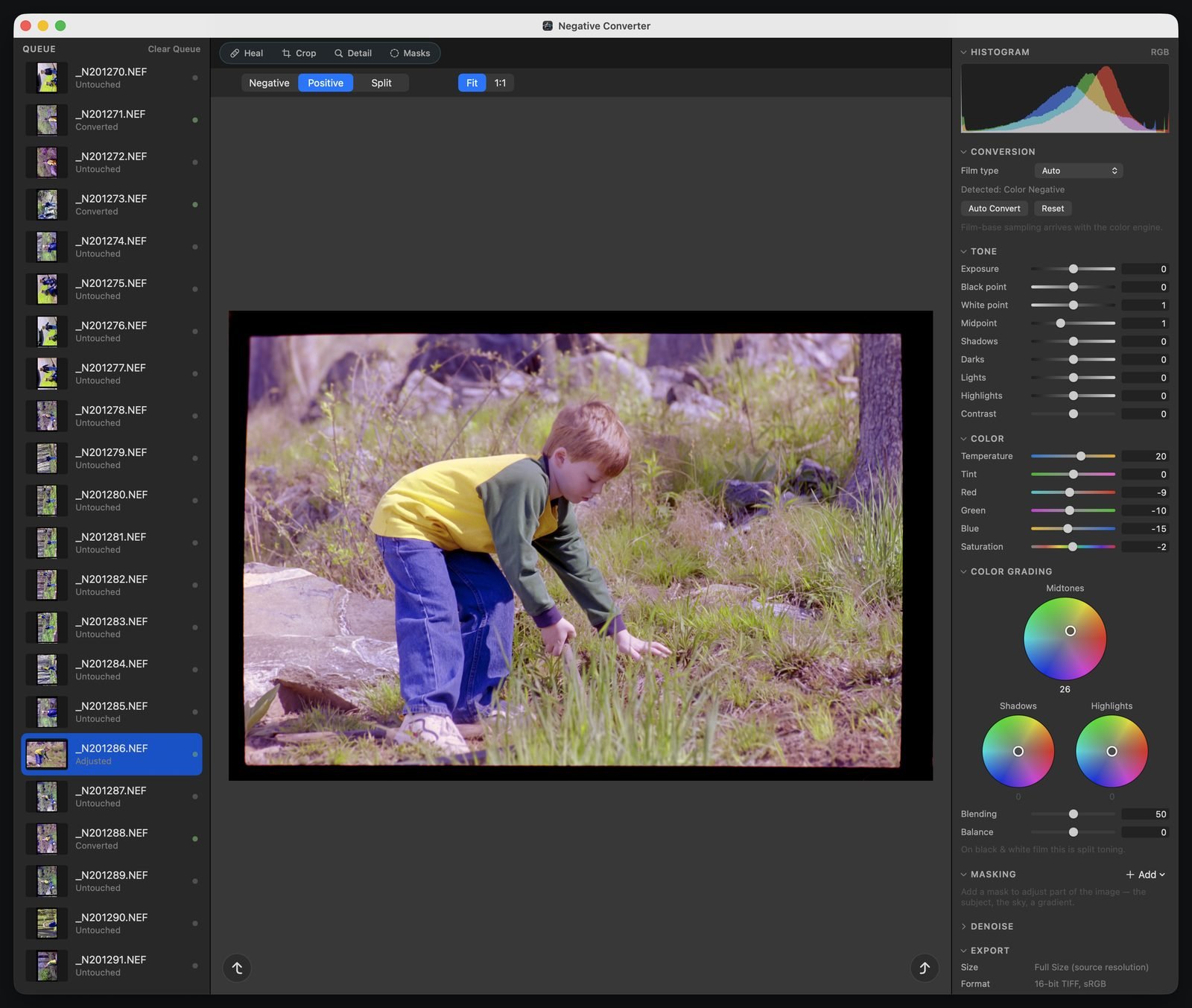
One film base for a whole roll. The automatic measurement works frame by frame. When a roll should look like one roll, measure its clear film base once and use it everywhere.
Drag a rectangle over the clear rebate or leader. Your pick refines the automatic estimate rather than replacing it, and a pick that can't work is refused, with the reason.
Keep the base under a name you choose, ready for the next frames from the same roll. Rename or delete it whenever you like.
Tick frames in a checklist, Shift-click for a range, and apply in one step. One ⌘Z undoes it all. Each frame keeps its own anchor, so the roll becomes more consistent, not identical.
The darkroom
Auto-conversion gets each frame most of the way; the darkroom takes it the rest. Tone from black point to highlights, plus a tone curve for luminance and each color channel. White balance with an eyedropper, temperature, tint, and per-channel color. Texture, Clarity, Dehaze, Vibrance, and Saturation. Color grading wheels for shadows, midtones, highlights, and the whole image.
Black-and-white frames get a purely tonal darkroom, with no color controls to tint them by accident. Crop to exact ratios and straighten up to 45°; the crop stays inside the picture, so an export never has blank corners. Every slider follows your hand on a fast preview, and the full-quality render settles in as soon as you pause.
Restoration
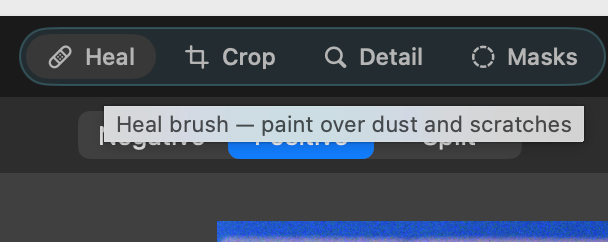
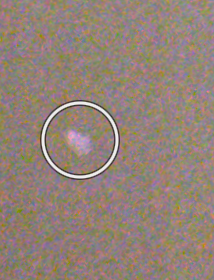
Film that has waited forty years in a shoebox arrives with dust, scratches, and blemishes in almost every scan. Paint over them with the heal brush. It first copies a matching patch of real grain from beside the blemish; where none fits, a machine-learning model on your Mac fills the stroke. Choose Modeled to send every stroke to the model instead, and color and black-and-white film each keep their own choice. Zoom to 2×, 4×, or 8× to work grain by grain; every stroke is its own undo. Nothing is uploaded. Below: a real blemish on forty-year-old film, and the same spot one brush stroke later.
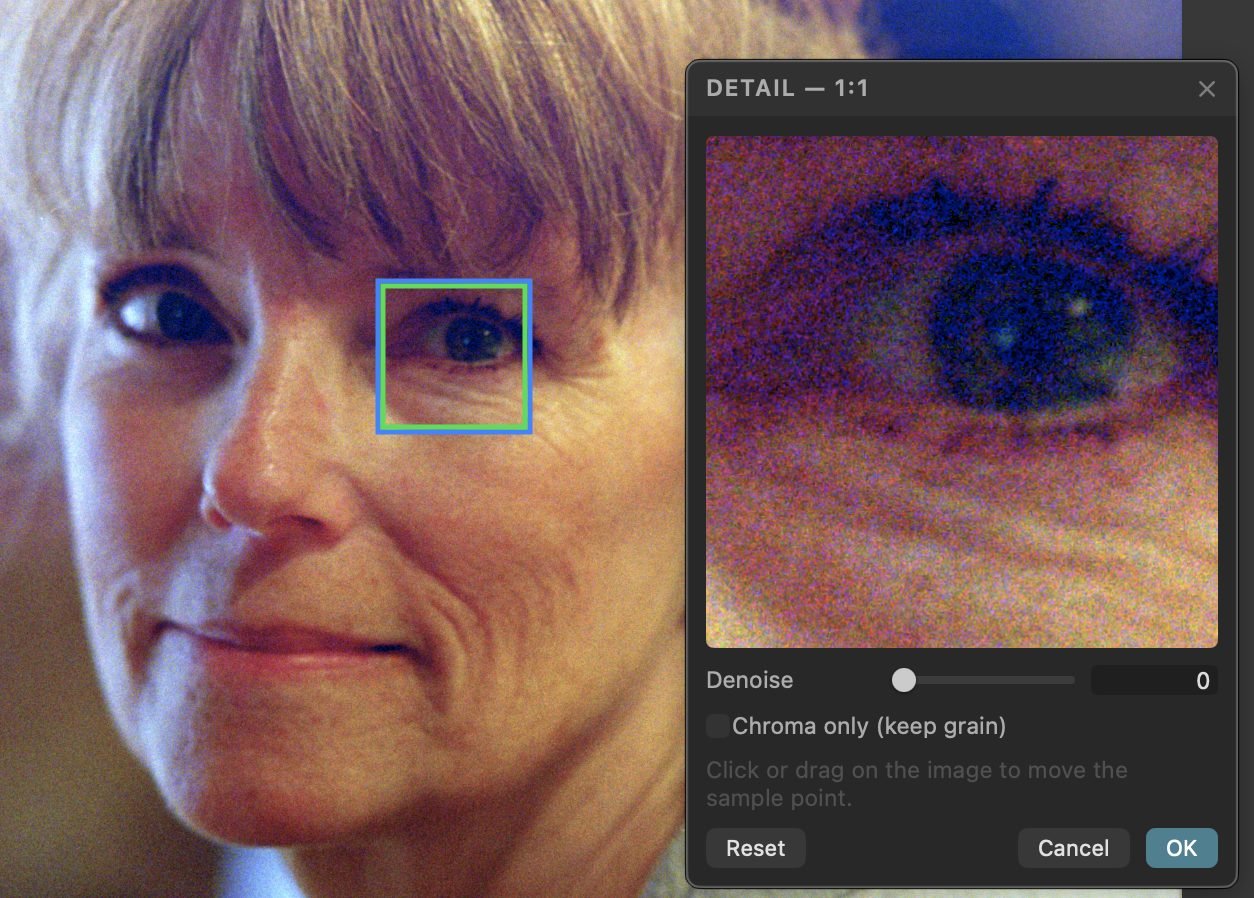
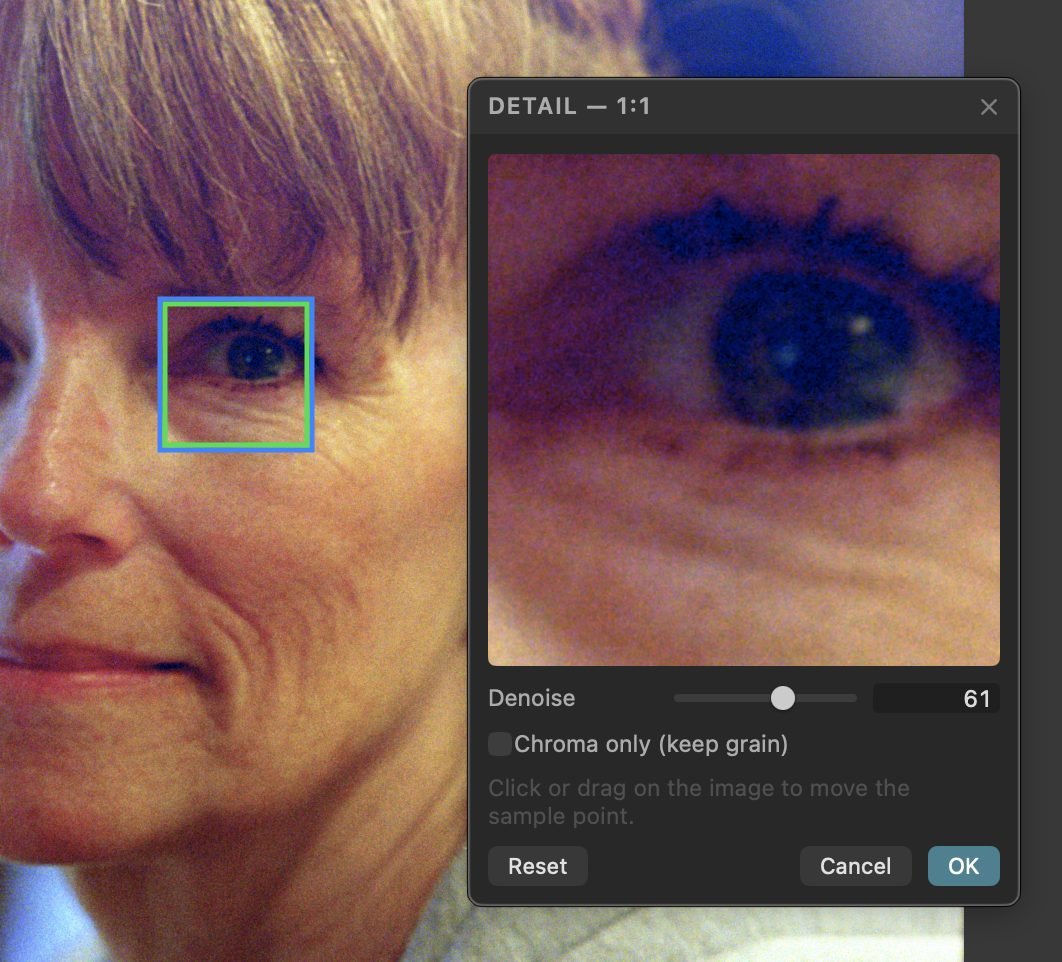
Denoise uses a real-image denoising model, with a Chroma only mode that removes color noise and keeps the film grain, because grain is the photograph. A 1:1 detail view, right in the side panel, shows the result at full resolution, so you judge it on the detail that matters, like an eye or a texture, before you click OK.
Masks
A mask limits an adjustment to part of the photograph. Let Negative Converter find the subject, the sky, or a person, or draw the area yourself. Then combine pieces until the mask covers exactly what you mean.
Output
Editing happens on a fast preview. Every export re-reads the original scan and re-runs the whole conversion at full resolution through a 16-bit, color-managed pipeline, never from a preview bitmap. Every recipe records the engine version that made it.
A full-resolution, lossless archival master with an embedded ICC profile, the file you keep.
A full-size 16-bit linear positive in a DNG file: the finished picture, not camera RAW.
Full-size or resized 8-bit copies at the quality you choose, 92 to start, up to 100.
Original, Large, Medium, Small, or a long edge you type, from 512 to 16,384 pixels. It never upscales.
Your scan's EXIF and TIFF metadata carry over, and every export is marked upright. DNG also carries camera, lens, date, exposure, author, copyright, and GPS.
Every conversion decision, written as readable data beside batch exports and Open Positive files, a record of exactly how each frame was made.
Whole rolls
Drag in scans or a folder (its top level), or choose File ▸ Open. Every file gets its own row in the queue, a RAW and its JPEG make two rows. The queue and every recipe are waiting when you reopen the app.
Privacy & ownership
We believe your data should stay your data, on your own machines, yours to work with any way you want, in any software you want. Negative Converter is built that way.
No network access, macOS itself blocks it from connecting to the internet. No account, no sign-in, no analytics.
Every machine-learning model runs on your Mac. Nothing is uploaded, nothing is shared, and no model is ever downloaded.
Your positives are ordinary TIFF, DNG, and JPEG files. Open them in any software you like.
A scan stored only in iCloud or Dropbox shows as Online only and is never downloaded behind your back. Download it in the Finder, add it to the queue again, and it converts like any other.
Your scan is the artifact, the closest thing to the original negative you'll ever have in a file. Negative Converter reads it and renders from it. Everything it makes is written as a separate file, and it refuses to write over any scan in its queue. Nothing you do in the app can damage it.
Under the hood
Questions
A native Mac app that converts scanned film negatives, black-and-white and color, into finished photographs. It heals dust, reduces noise, adjusts parts of a picture with masks, and saves 16-bit TIFF and DNG masters. It is a complete darkroom of its own.
No. Negative Converter is a standalone app, not a plugin, and it needs no subscription. Your positives are ordinary TIFF, DNG, and JPEG files, so you can open them in any software you like.
Yes. Negative Lab Pro is a plugin: it works inside Adobe Lightroom Classic, which Adobe sells by subscription. Negative Converter is a Mac app of its own, bought once, with no Lightroom and no subscription. It opens camera RAW and film-scanner scans directly, converts a whole roll from one film-base measurement, and saves 16-bit TIFF and DNG masters you can open in Lightroom, Photoshop, or any editor you like.
Yes. If you photograph your negatives with a camera, it opens RAW files from Nikon, Sony, Canon, and Fujifilm (NEF, ARW, CR2, CR3, RAF), plus DNG. If you use a film scanner or a flatbed, it opens scans saved as TIFF, JPEG, PNG, or HEIC. macOS decodes the RAW files, and it can't read a few files from supported cameras.
Yes. Measure a roll's clear film base once and apply it to every frame you tick. Copy one frame's settings and paste them onto every selected frame in one step; each frame keeps its own masks, healing, and crop. Then one Export Items… dialog exports the frames you check, named by a pattern you choose, and a batch never overwrites a file.
No. Negative Converter has no network access, macOS itself blocks it from connecting to the internet. Every machine-learning model, healing and denoise included, runs on your Mac, and none is downloaded. Nothing is uploaded, nothing is shared, and there is no account.
Never. It reads your scan and renders from it. Edits are saved as recipes, everything it makes is a separate file, and it refuses to write over any scan in its queue.
A Mac with Apple silicon (M1 or later) and macOS 15.6 or later.
Negative Converter is coming to the Mac App Store as a one-time purchase, with no subscription. To hear the day it ships, email info@archiveoptics.com.
PhotoLibrarian, coming soon, keeps your positives organized with the rest of your photographs. It can also spot the film negatives already in your library and send any one here with a right-click.